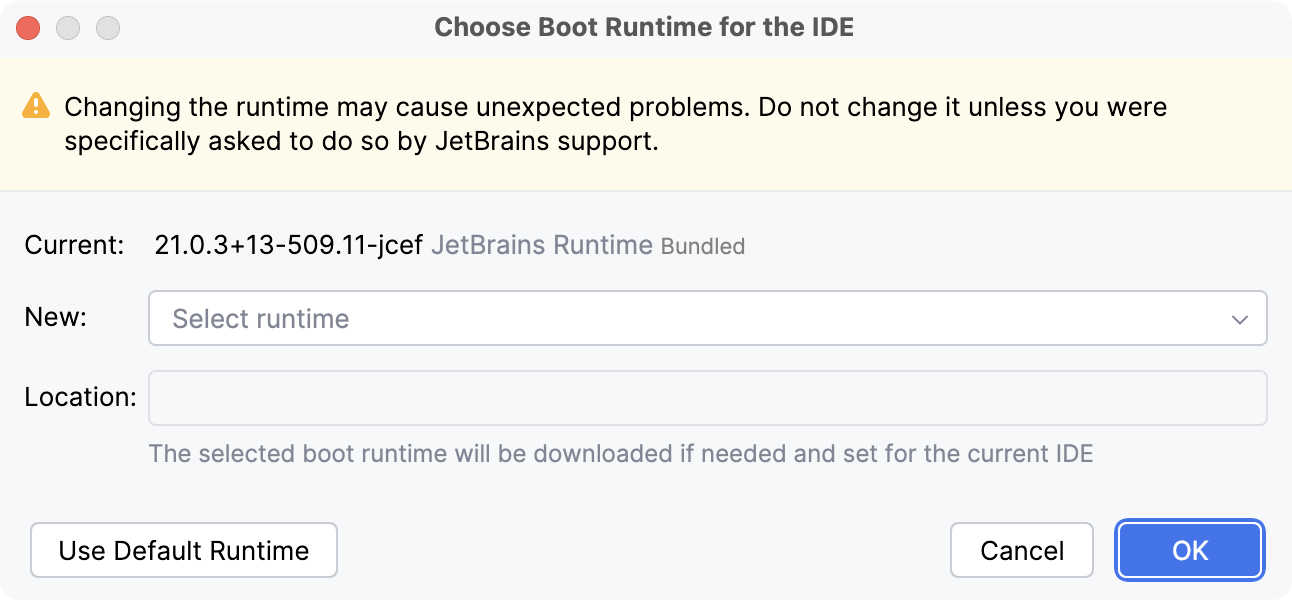
As a Java application, CLion requires a Java runtime environment (JRE). By default, CLion uses JetBrains Runtime (a fork of OpenJDK), which is included with the IDE. JetBrains Runtime fixes various known OpenJDK and Oracle JDK bugs, and provides better performance and stability. However, in some cases you may be required to use another Java runtime or a specific version of JetBrains Runtime.
warning
Changing the boot Java runtime may cause unexpected problems. Do not change it unless you were specifically asked to do so by JetBrains support.
note
The runtime for CLion is not the same runtime used for your applications. Define an SDK for each of your projects, which includes the necessary development and runtime environment.
Switch the Java runtime used to run CLion
In the main menu, go to Help | Find Action or press CtrlShift0A.
Find and select the Choose Boot Java Runtime for the IDE action.
Select the new desired runtime and click OK.
If necessary, you can change the location where CLion will download the selected runtime.
Wait for CLion to restart with the new runtime.
When you open the Choose Boot Runtime for the IDE dialog for the first time, it may take a while to load the list of JetBrains Runtime builds from the server.
To use a different Java runtime available on your computer, select Add Custom Runtime under Advanced in the New field. CLion lists all the JDKs and JREs that it was able to detect. Select one or click Add JDK to specify the location of the desired Java home directory.
To reset back to the default runtime that the IDE initially used, click Use Default Runtime.
note
When using a non-default Java runtime for CLion, it will not update with the IDE and may not be compatible with the new version. Reset back to the default runtime when updating CLion to get the latest compatible version of JetBrains Runtime.
The path to the selected runtime is stored in the clion.jdk or clion64.jdk file in the CLion configuration directory. If there are problems with the selected runtime, you can delete this file to revert to the default runtime.
You can also override the runtime used for CLion by adding the CLION_JDK environment variable with the path to the desired JDK home directory.