Sync with a remote Git repository (fetch, pull, update)
The Git branches popup indicates the number of incoming commits that have not yet been fetched (blue arrow icon  next to the branch name) and the number of outgoing commits (green arrow icon
  next to the branch name).
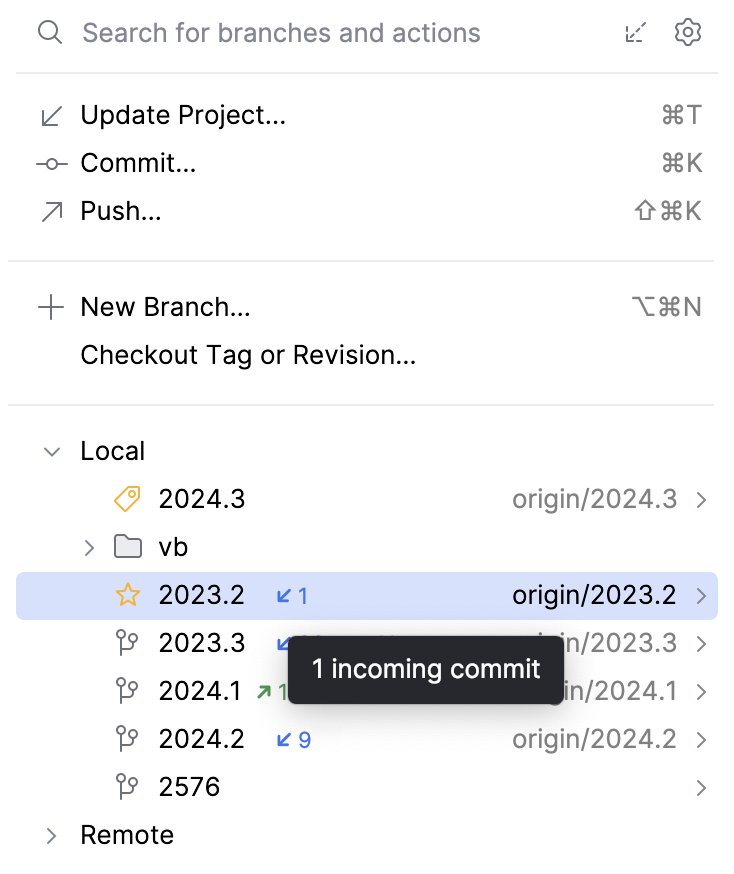
There are two ways to fetch changes from the upstream:
Select Git | Fetch in the main menu.
Alternatively, open the Branches popup and click
 in the upper right corner.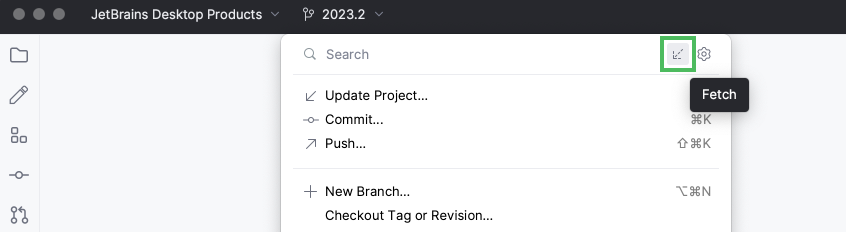
In the main menu, go to . The Pull Changes dialog opens:
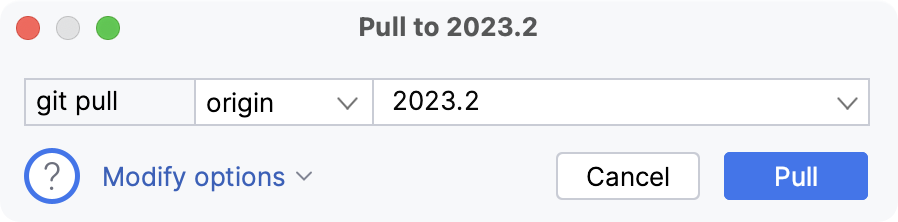
If you have a multi-repository project, an additional drop-down appears letting you choose the repository.
If you have several remotes defined for your project, select a remote from the list (by default, it is
origin).Select the branch from which you want to pull changes into the branch that is currently checked out. By default, the remote branch tracked by the current local branch is selected. If you specify a different branch, JetBrains Rider will remember your choice and display this branch by default in the future.
If you need to pull with options, click Modify options and choose from the following:
--rebase: after fetching the changes from a remote branch, JetBrains Rider will rebase local unpushed changes onto the fetched changes.--ff-only: the merge will be resolved only if it is possible to fast-forward.--no-ff: a merge commit will be created in all cases, even if the merge could be resolved as a fast-forward.--squash: a single commit with all pulled changes will be created on top of the current branch.--no-commit: a merge will be performed, but a merge commit will not be created so that you can inspect the result of the merge before committing.--no-verify: performs the merge while bypassing the pre-merge and commit-message hooks that normally run by default.
For more information about
pulloptions, refer to https://git-scm.com/docs/git-pull.Click Pull.
note
If your project contains submodules, and they are on a branch, they will also be updated automatically.
If a submodule is in a detached HEAD state, JetBrains Rider will call
git submodule update, which will check out the commit referenced in the root repository. This means an update will only be performed if the submodule reference changes in the root repo, or if a new submodule is added.
In the main menu, go to or press CtrlAlt0W. The Update Project dialog opens.
Select the update type (this strategy will be applied to all roots that are under Git version control):
Merge the incoming changes into the current branch: select this option to perform merge during the update. This is equivalent to running
git fetchand thengit merge, orgit pull --no-rebase.Rebase the current branch on top of the incoming changes: select this option to perform rebase during the update. This is equivalent to running
git fetchand thengit rebase, orgit pull --rebase(all local commits will be put on top of the updated upstream head).
If you choose not to show the Update Project dialog in the future, and then want to modify the default update strategy later, go to the Version Control | Confirmation settings page CtrlAlt0S, select Update under Show options before, and modify the update strategy the next time you perform an update.
When the update operation is completed, the Update Info tab is added to the Git tool window Alt09. It lists all commits that were made since the last sync with the remote, and lets you review the changes the same way as in the Repository tab.
tip
If you want to see a full list of all files modified since the last update, place the caret anywhere in the list of commits and press Ctrl0A. You can disable grouping to see a flat list: click
on the toolbar in the Changed Files pane.